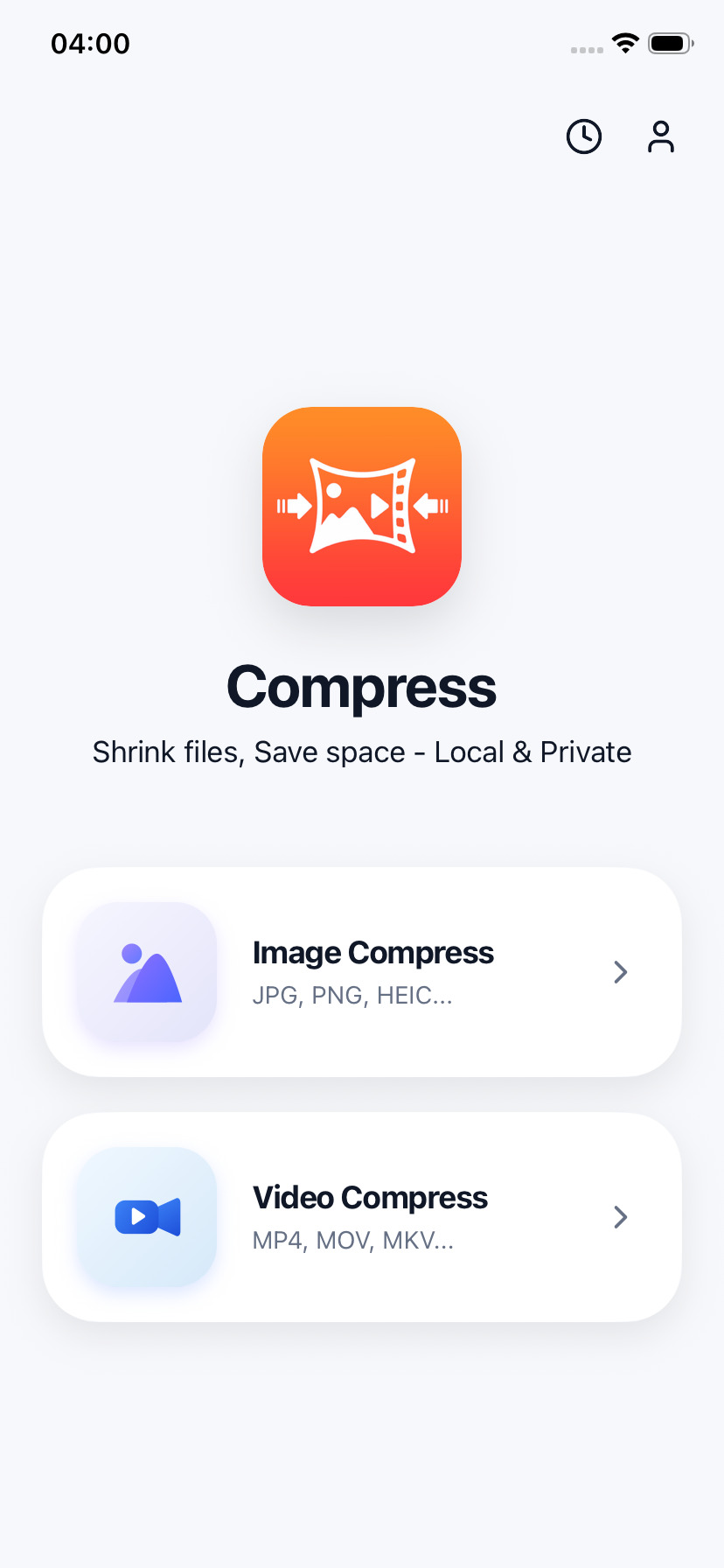
Compress Videos & Photos Offline. Free Up Storage.
Stop deleting your photos and videos. Compress reduces media file sizes by up to 95% on your device with zero visible quality loss. Quick, secure, and offline.
Lossless Compression
Massive space savings.
Zero visual compromise.
Our smart algorithms strip away unnecessary metadata and optimize pixel storage to shrink files instantly while keeping your photos and videos crisp.

Pixel detail optimized, visual crispness preserved.

Perfect format for sharing via iMessage or chat.
Your photos and videos
never leave your phone.
Compress operates entirely locally using hardware-accelerated processing. Your memories are fully private, secure, and 100% on-device.
No servers, no tracking, and zero risk of cloud leaks.
Works anywhere—on planes, subways, or in remote areas.
On-Device Photo & Video Compression Features
Reduce file sizes up to 95% without quality loss.
We built Compress to give you the most powerful media compressor right inside your pocket, without sending a single byte of your personal data to the cloud.
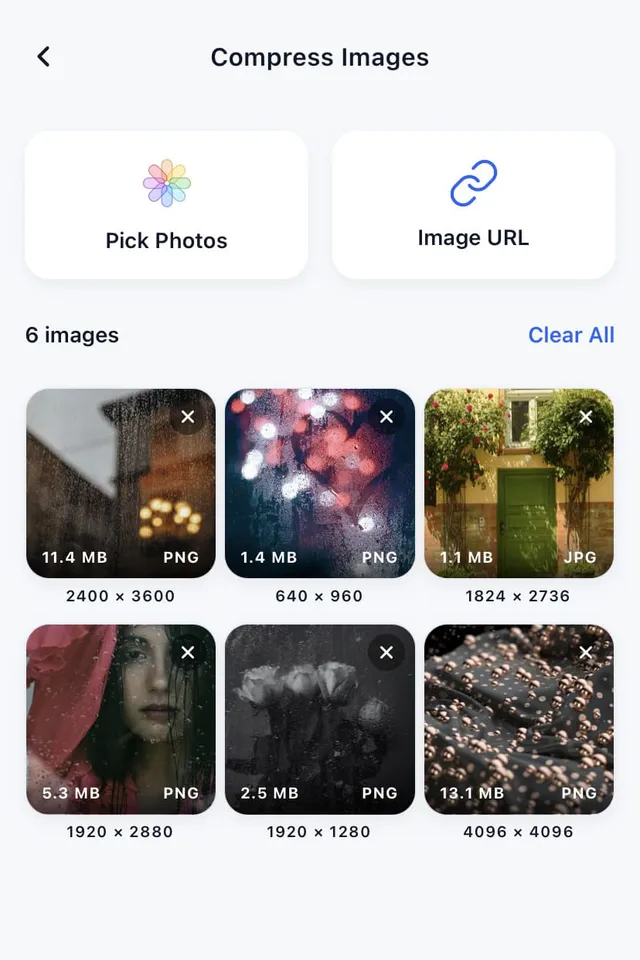
Batch Compression
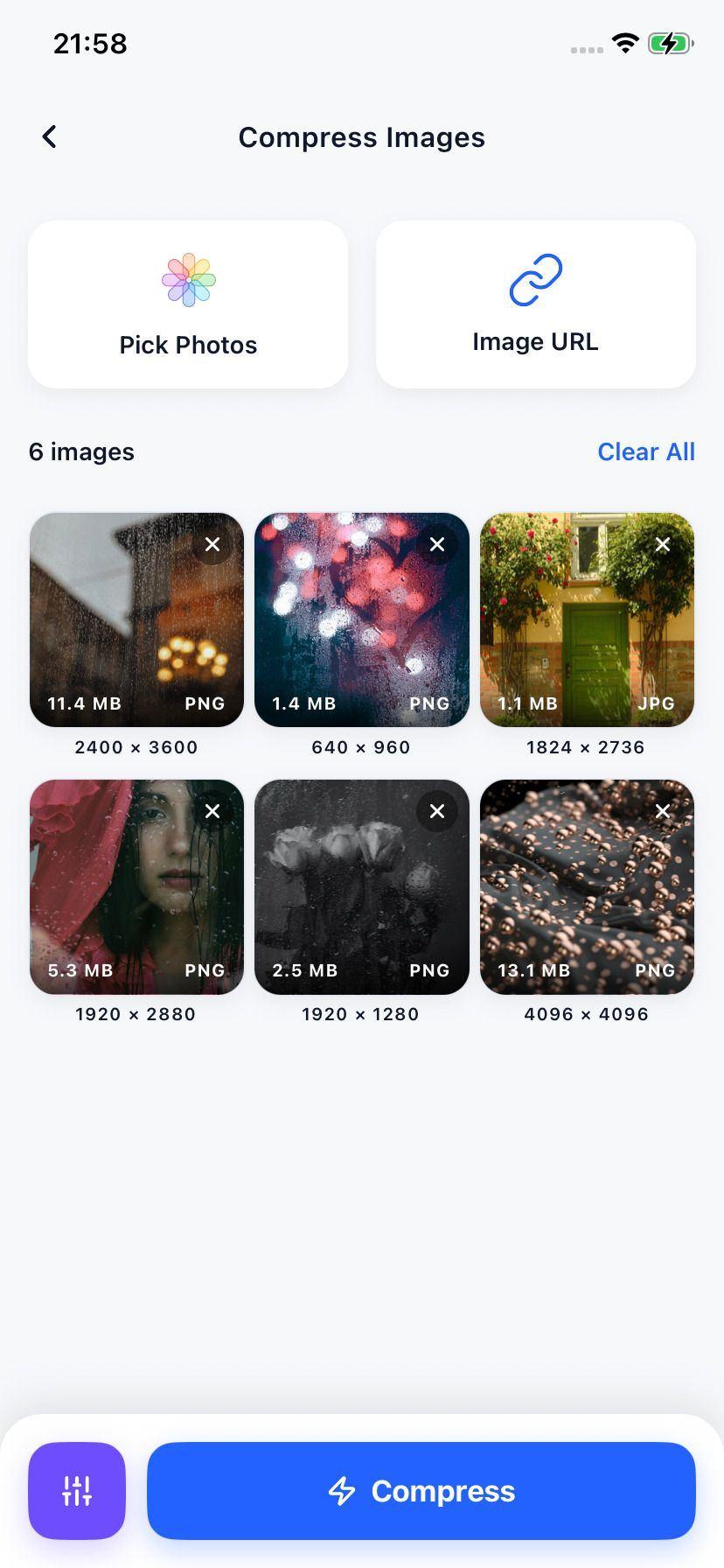
Compress dozens of large videos and images in a single tap. Stop waiting for files to upload one by one. Compress everything at once and save hours of time.
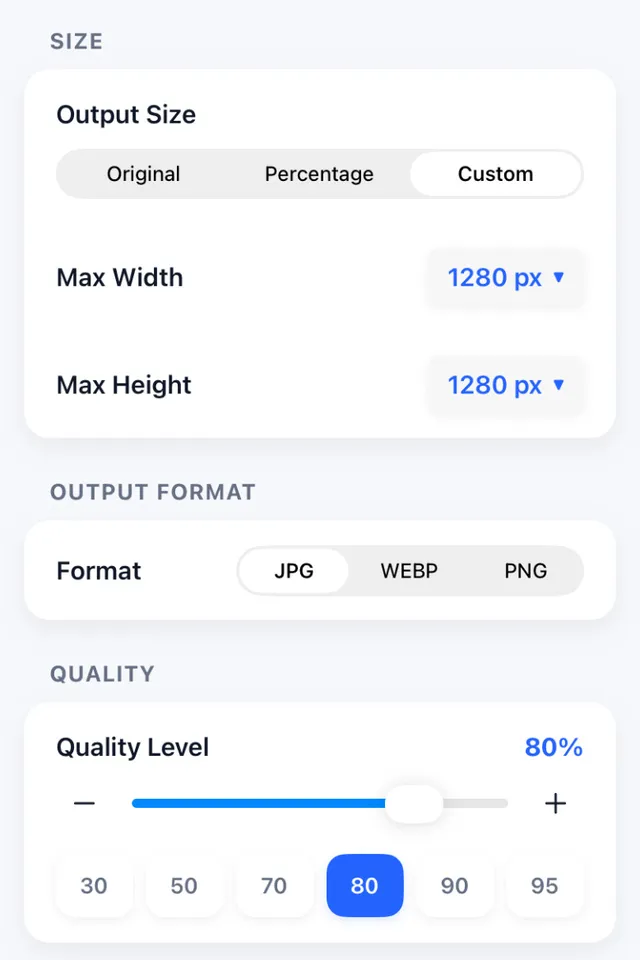
Granular Advanced Settings
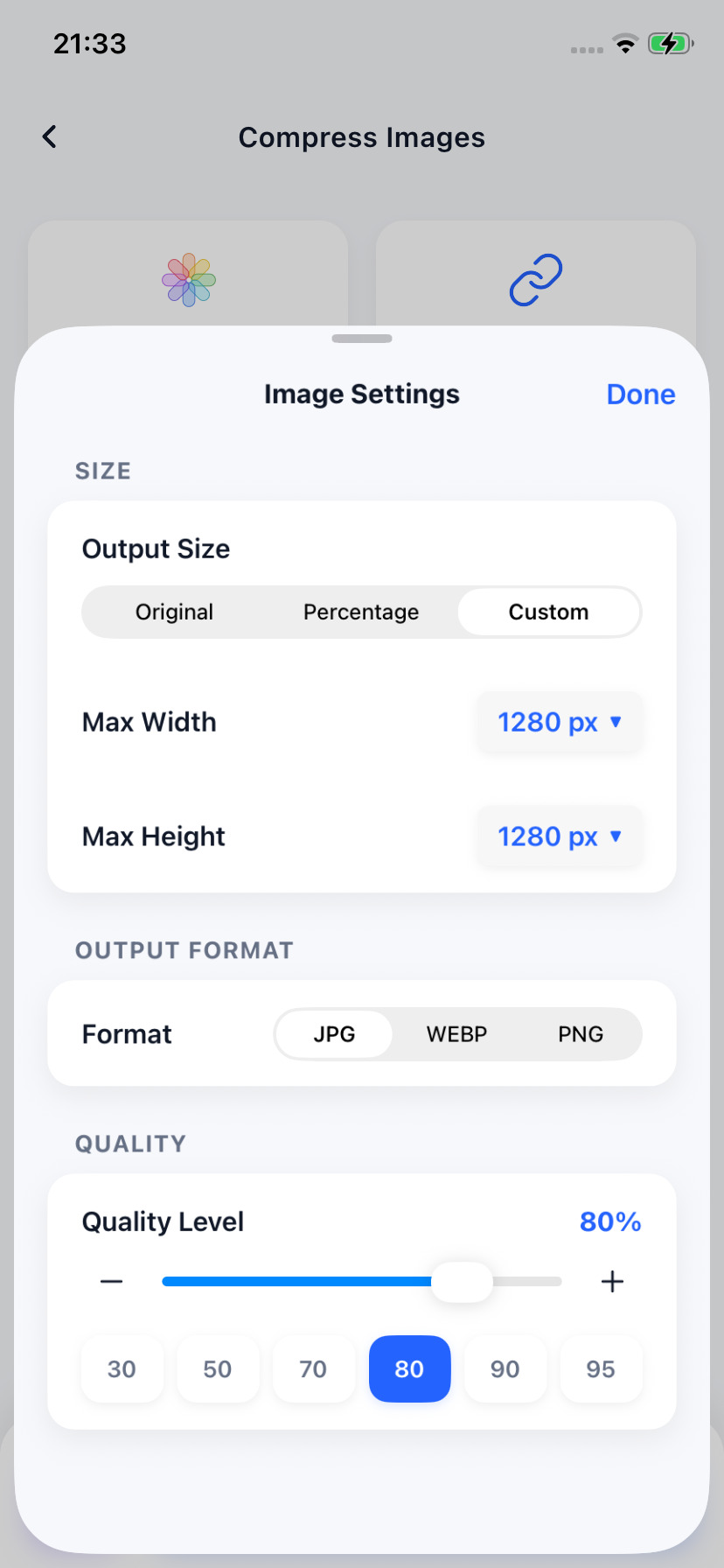
Choose exactly how you want to compress. Tweak resolutions from 4K down to 720p, toggle between formats, and dial in the perfect bitrate or compression quality.
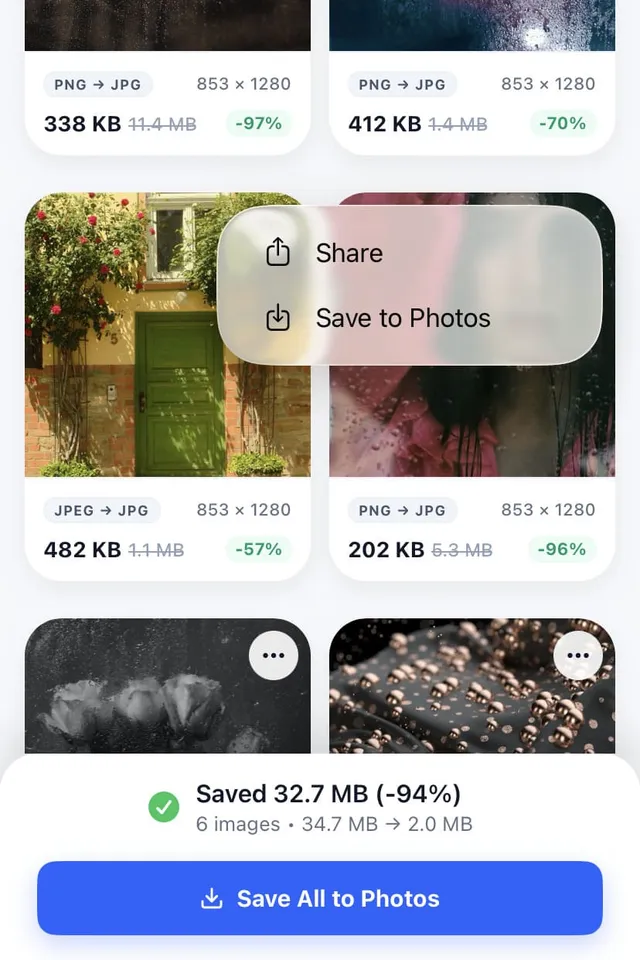
Reclaim Up to 95% Storage
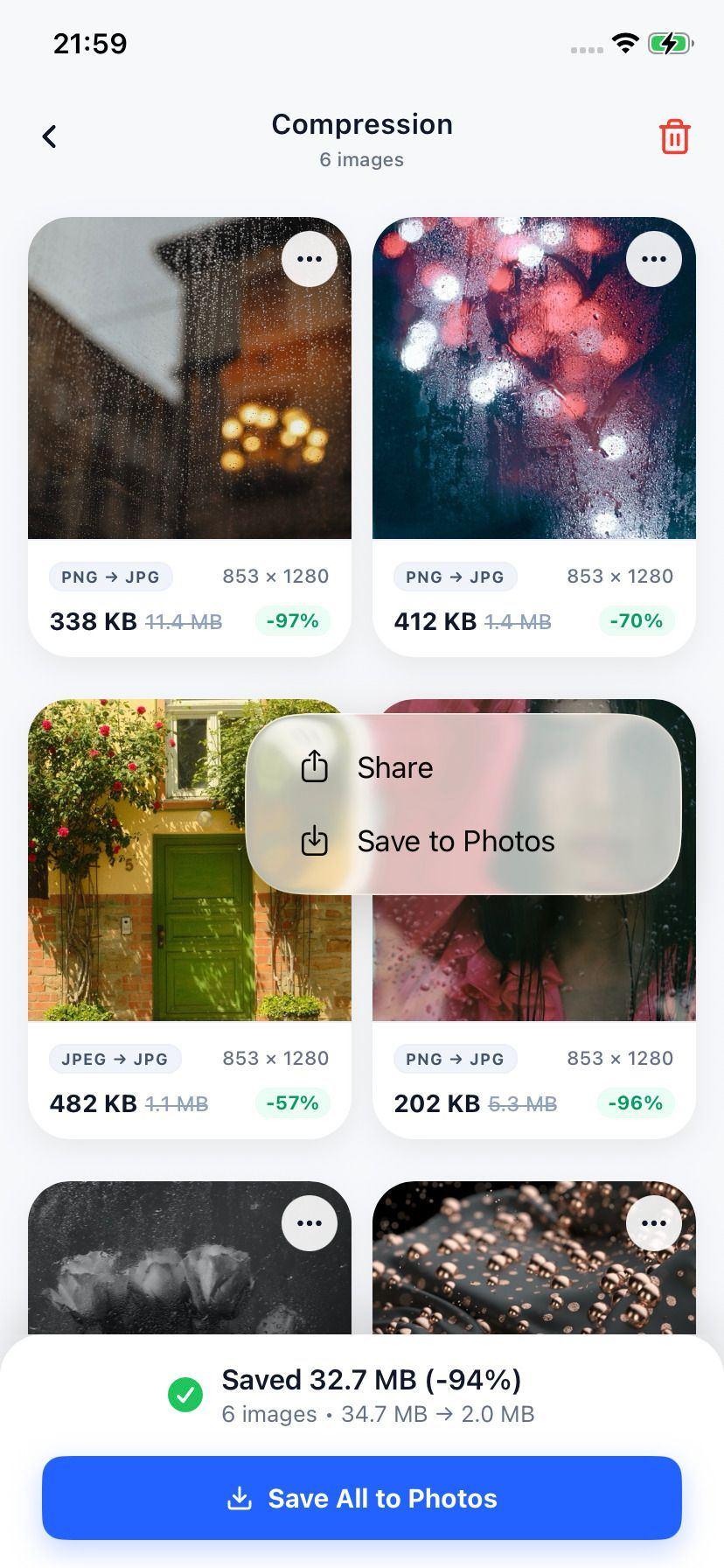
Watch files shrink from hundreds of megabytes to a fraction of their size. Compress uses smart algorithms that maintain original visual fidelity, giving you maximum space savings.
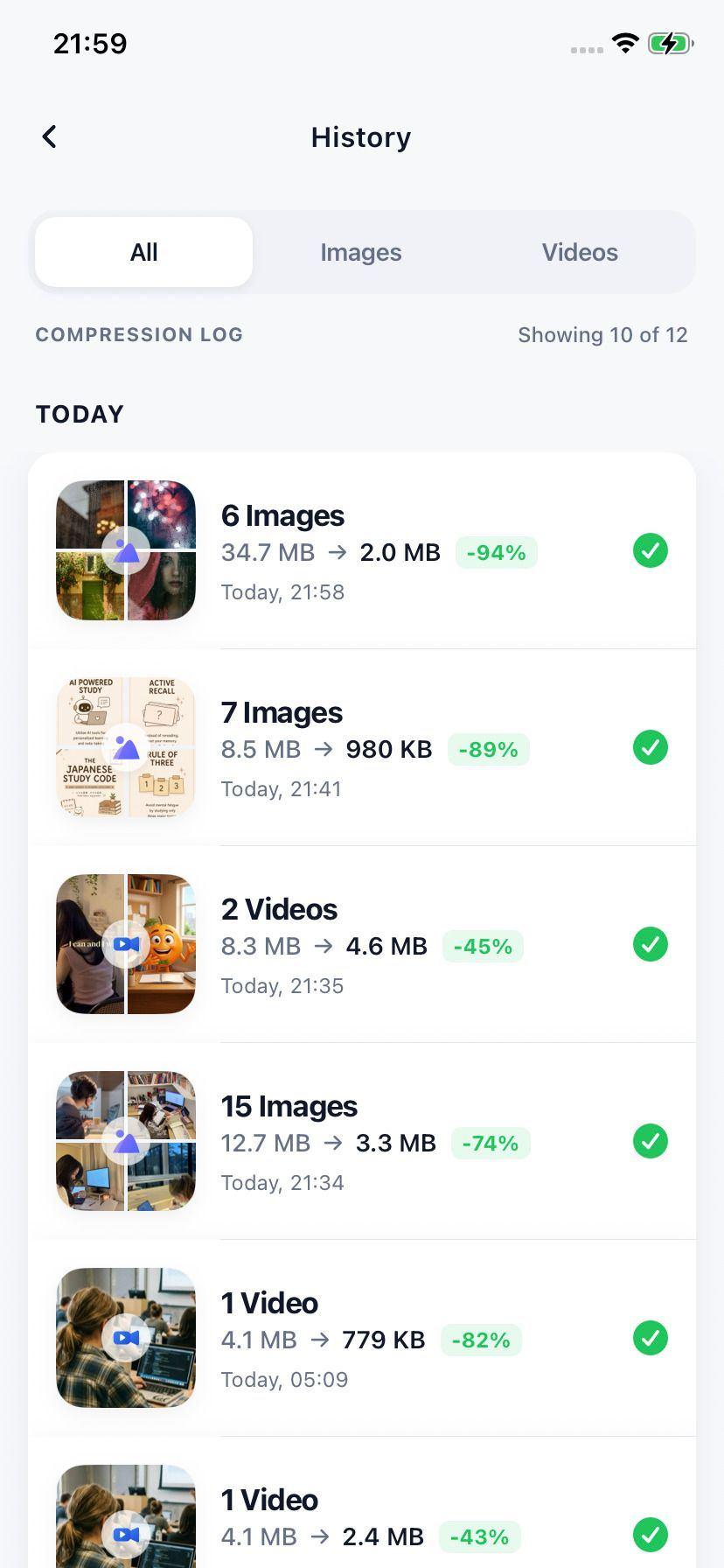
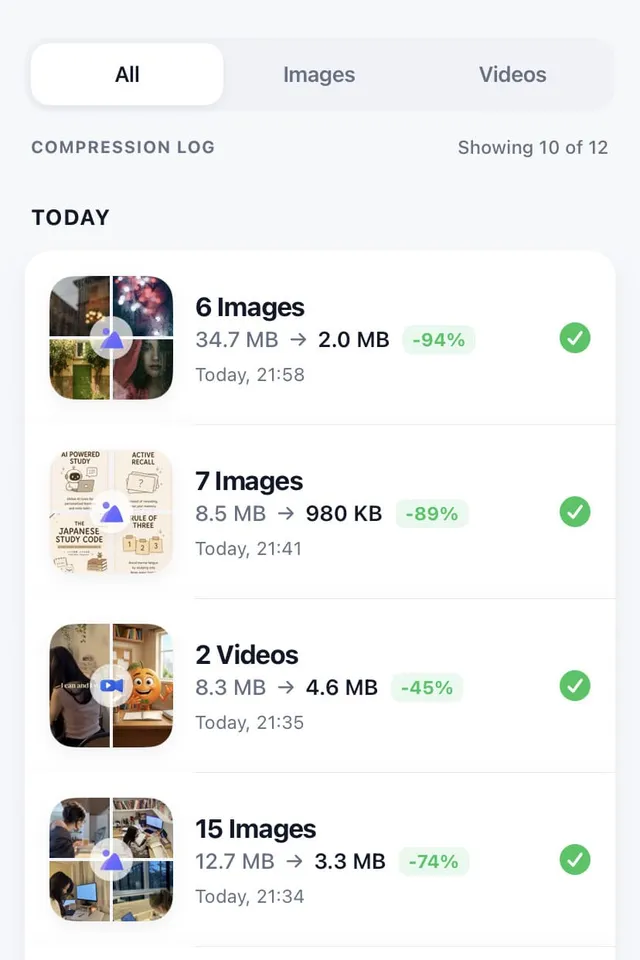
Organized History Log
All your compressed files are logged in an elegant on-device history view. Quickly see how much storage space you saved, compare files, or share them again without digging.
Compress videos & images in three easy taps.
No complicated setup. No user accounts. No server-side wait times. Start reclaiming your storage space right after installation.
Select Your Media
Open the app and pick the photos or videos you want to compress. Select a single file or pick hundreds at once in batch mode.
Choose Quality
Select from fast preconfigured presets (80% sweet spot, standard, maximum speed) or adjust resolution and bitrate manually.
Compress & Share
Press compress. Files are processed instantly using native hardware acceleration. Save directly to camera roll or share to chat.
Device vs. Cloud Speed
Uploading a 500MB video to the cloud takes about 15 minutes and wastes mobile data. Compress processes it in about 1 minute on-device—completely offline, secure, and instant.
Got Questions?
Frequently Asked Questions
Everything you need to know about the Compress mobile app.
Does compressing media reduce its quality?
Compression reduces file size by optimizing details that are imperceptible to the human eye. By default, our 80% quality preset produces photos and videos that look identical to the originals but are up to 90% smaller. If you need absolute precision, you can dial the quality to 95% or keep the original resolution.
Where are my photos and videos uploaded?
Nowhere. Compress is built on a privacy-first foundation. 100% of the media compression processing runs locally on your device's hardware. Your photos and videos never leave your phone, and we have no external servers to collect or store your files.
Does the app support batch compression?
Yes! You can select dozens of images and videos at once and compress them in bulk. It is designed to help you clean up gigabytes of camera roll storage with a single click.
Which formats are supported?
We support all major formats. For videos, you can compress MP4, MOV, and M4V using H.264 or HEVC (H.265) codecs. For images, we support HEIC, JPEG, PNG, and WebP, including Live Photos.
Does the app work offline?
Yes. Since all media compression is performed locally using on-device mobile hardware encoders, you can use the app completely offline, in flight mode, or in remote areas without any cellular network.
Is the app free to use?
Compress is free to download and compress files. The free version is supported by ads. We offer a premium upgrade to remove ads, unlock faster multi-threaded processing, and allow unlimited batch compression.

Reclaim storage space.
Keep all your media.
Stop choosing which memories to delete. Our powerful offline app compresses both high-resolution photos and large 4K videos directly on your device. Instant savings, maximum privacy, and zero visible quality loss.
- Image & Photo Compressor
- Full Video Size Optimizer
- 100% Secure & On-Device
- Fast Batch Processing
Free download. Supports on-device image, photo, and video compression.